Best Profit Analytics Tools 2026
Expert reviews of profit tracking software for Amazon and Shopify sellers. Compare tools that calculate true net profit after every fee.
7 profit analytics tools reviewed and verified — August 2026.

Best-Of Guides
Not sure which profit tracker to choose? We compare every option.
Head-to-Head Comparisons
Trying to decide between two tools? We break down the differences.
What Is Profit Analytics Software?
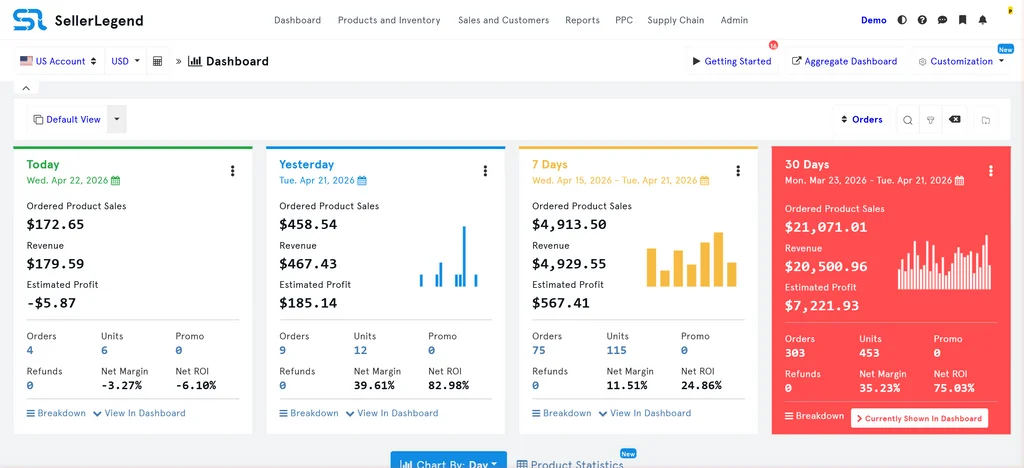
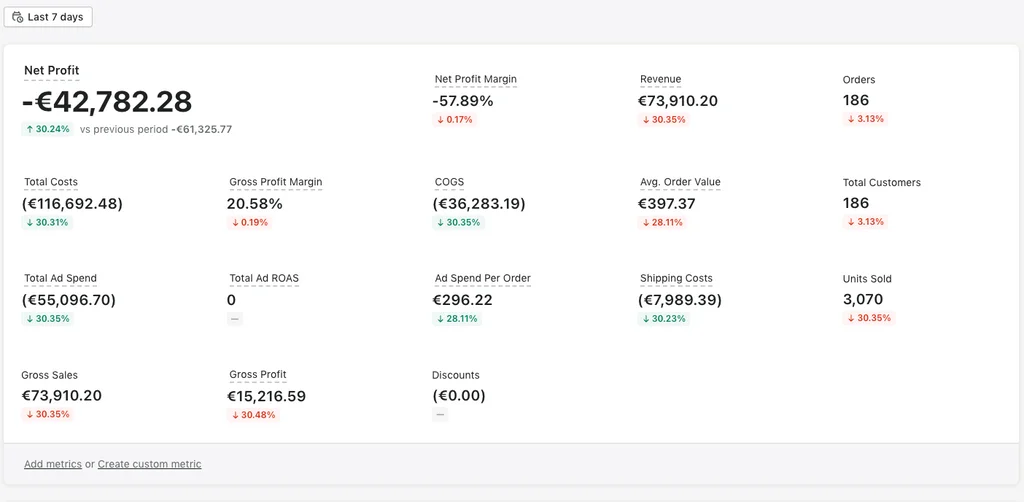
Profit analytics software connects to your Amazon seller account, advertising accounts and cost data to calculate your true net profit on every order — after every fee, cost and deduction. The headline revenue figure Amazon shows in Seller Central is not your profit. Subtract Amazon referral fees, FBA fulfilment fees, storage fees, advertising spend, return costs, COGS and VAT and the number that matters is significantly smaller. Profit analytics tools do this calculation automatically, in real time, across every SKU in your catalogue.
The best tools go further — they show profit trends over time, identify which products are margin-positive and which are silently losing money, and surface the cost drivers that are eroding your margins. For Amazon sellers operating at any meaningful scale, profit analytics is not optional.
What Profit Analytics Tools Track
A good profit analytics tool imports and tracks: Amazon referral fees (per category), FBA fulfilment and storage fees, advertising spend (Sponsored Products, Brands and Display), refunds and return costs, cost of goods sold (COGS) from your own data, VAT and other taxes where applicable, and subscription fees. Some tools also track Shopify orders, multi-channel fulfilment costs and external ad spend from Google and Meta.
How to Choose a Profit Analytics Tool
1. COGS Handling
COGS entry is where most profit analytics tools create friction. The best tools let you set COGS per SKU or per ASIN, handle product variations, and update historical COGS when your supplier costs change. Some require manual CSV uploads; others offer bulk imports or API integrations with inventory management systems.
2. Advertising Integration
Advertising costs are often the single largest deduction from gross profit for FBA sellers. Confirm the tool connects to Amazon Advertising and correctly attributes ad spend at the order level — not just as a blended total. Some tools also integrate with Google Ads and Meta for sellers running external traffic.
3. Historical Data Import
A profit analytics tool is significantly more useful if it can import historical order data from before you connected it. Check how far back each tool can pull data — some go back 2 years, others only 90 days. This affects how quickly you can get a complete picture of your business.
4. Multi-Channel Support
If you sell on multiple Amazon marketplaces or on Shopify alongside Amazon, confirm the tool handles currency conversion, marketplace-specific fee structures and cross-channel profit attribution. Tools that only handle a single marketplace or currency will give an incomplete picture for multi-channel sellers.
Profit Analytics FAQ
Why doesn't Amazon show me my real profit?
Amazon Seller Central shows revenue and some fee summaries, but does not subtract your cost of goods, advertising spend in full, or external costs. The data is also fragmented across multiple reports. Profit analytics tools consolidate everything into a single per-order and per-SKU profit figure.
How accurate are profit analytics tools?
Accuracy depends primarily on the quality of your COGS data. Amazon fees, FBA costs and advertising spend are pulled directly from Amazon's API and are accurate. The tool's profit calculation is only as good as the cost data you provide — missing or outdated COGS figures will produce misleading results.
Can I use profit analytics software if I sell on multiple Amazon marketplaces?
Most tools support multiple Amazon marketplaces, but the depth of support varies. Confirm that the tool handles your specific marketplaces, converts currencies correctly and applies the right fee structures for each region.
Do I need profit analytics if I only have a small catalogue?
Even with a small catalogue, profit analytics tools surface costs that are easy to miss — storage fees on slow-moving inventory, return processing fees, and advertising costs that are quietly making products unprofitable. The monthly cost of most tools is recovered quickly once you identify one underperforming product.
Will connecting profit analytics software affect my Amazon account?
No. These tools connect via Amazon's official SP-API (Selling Partner API), which is the same API Amazon provides for all authorised third-party software. Connecting an SP-API tool does not affect your account standing, Buy Box eligibility or any other seller metrics.